No one tells you that a part of freshman year is slowly learning what apps to download. Not intentionally and not all at once, but gradually: one for buses, one for classes, one for food, one for productivity and one to fix the fact that the productivity one did not work.
Eventually, the collection of apps starts to feel less random and more like a system, something built out of small recommendations, quick downloads and the disquieting acknowledgment that everyone else seems to already know what to use. For current Mississippi State University students, those recommendations come quickly.
Ashley Huff, a junior elementary education major, eagerly suggested the use of MSU’s bus and transportation app.
“Use your TransLoc app. All the time,” Huff said. “Especially if you don’t drive. You need to use that bus route. You need to learn the bus routes.”
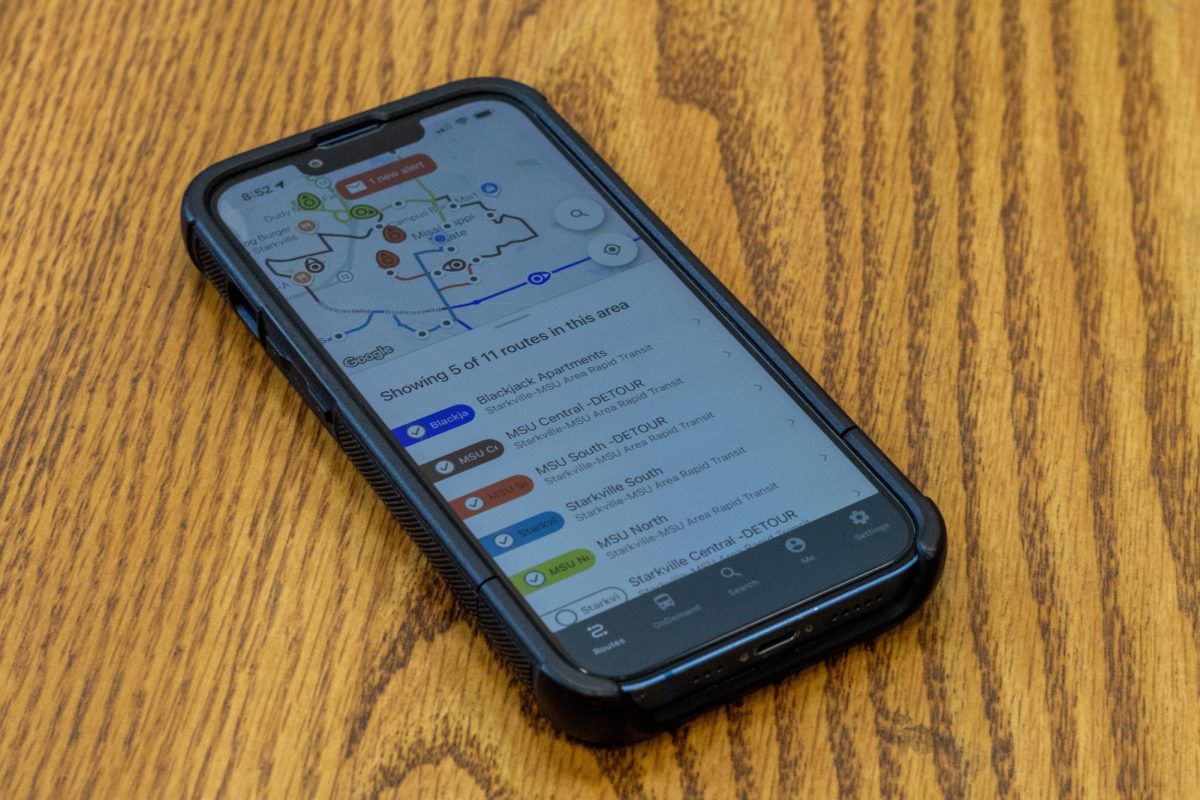
TransLoc, which tracks S.M.A.R.T. buses in real time, has become a routine in student schedules. It answers the question most freshmen ask within their first week: Where is the bus, and did I just miss it? In a format similar to Google Maps, TransLoc displays the available bus routes and stops, and provides a live tracker so students know exactly how many stops away the buses are. TransLoc also covers routes. While campus maps exist, they do not account for timing, weather or the painful truth that a class is technically “across campus.”
Transportation is often the first adjustment. After that, students turn their attention to time management.
Across majors and class years, students repeatedly point to Google Calendar as one of the most essential tools. It simply shows where students are expected to be and when they are already late. Used for classes, assignments, meetings and everything in between, it becomes a central time record for students with an unforgiving schedule.
For students looking for more structured organization methods, apps like Navigate automatically populate class schedules into a visual format. The system organizes weekly commitments in a way that feels clear and accessible, even when the workload itself is not.
Of course, managing time and actually using it are two different things. That is where productivity apps come in.
Andrew Hale, a sophomore electrical engineering major, recommended his favorite tool.
“App blockers, like Focus Friend and Stay Free, ” Hale said. “They act the same as screen time limits. Stay Free simplifies the process and Focus Friend has a reward system and little guy you can take care of.”
These apps are designed to limit screen time and reduce distractions. They function as a form of external accountability, stepping in when personal motivation is low.
Stay Free acts like the general settings on a smartphone, allowing you to select which apps to keep on your lock screen and which to set time limits for. Focus Friend has more of a reward system, based on timed study sessions. This reward system works as follows: the user can earn currency by staying focused for set periods, and that currency can be used for in-game purchases.
These apps are not always successful, but they provide structure when students struggle to create it on their own. At some point, many students realize their biggest challenge is not coursework itself, but repeatedly opening the same apps instead of completing assignments.
But even the most structured student eventually runs into a more immediate problem: food.
Enoch Oguntuse, a sophomore aerospace engineering major, explained how he uses an essential app to solve this problem.
“Grubhub, to order food before class ends and wait less between classes,” Oguntuse said. “It helps reduce the wait when everyone arrives at Chick-fil-A all at once.”
The app allows students to order ahead from campus dining locations, reducing the time spent waiting between commitments. The app also lets students use their Dawg Dollars to order food before class ends without dipping into their own bank accounts. The goal is not only to eat but also to minimize the gap between feeling hungry and receiving food. On a tightly scheduled campus, that gap matters.
Dining is only one part of the adjustment. Academics introduce another layer of need for support systems.
Isabelle Lewis, a freshman elementary education major, suggested a tutoring app.
“The Pinji app for tutoring, it is honestly just a great source for freshmen who may struggle with certain classes,” Lewis said.
While some students arrive feeling prepared, others quickly realize that college courses operate on a slightly different scale, one where asking for help is less of an exception and more of a necessity. Apps like Pinji do not remove the challenge, but they make it a little easier to navigate. Pinji connects students with tutors and academic help, offering a way to ask questions without the formality of scheduling traditional appointments. It is a quieter resource, but one that becomes more valuable the further into the semester students get.
There are also the things no syllabus really prepares you for. Ashley Huff, a junior majoring in elementary education, continues to explain the complexities of freshman life and offers a perspective many freshmen forget. She suggests that students find a mental health app.
“[Students] are away from home. Everything is new. Living in the dorms challenges [their] mental health,” she said.
Mental health apps vary widely, from mindfulness tools to habit trackers, but they share a common purpose: providing structure during transitions. Beyond academics, students are adjusting to new environments, routines and expectations. In that context, even a simple and consistent tool can make the transition feel more manageable.
For students already thinking beyond their first semester, some apps offer a way to look ahead.
Zar Estes, a sophomore majoring in political science, suggests an app for students eager to get involved in MSU and local communities.
“Simplicity – Jobs and Careers. It’s wonderful. It shows opportunities for jobs both on and off campus, as well as other opportunities for freshmen trying to get ahead and get involved,” he said.
Designed to connect students with job listings, internships, and campus involvement opportunities, it shifts the focus slightly forward, from managing the present to preparing for what comes next. It is a different kind of planning, less about the next class, more about the next step. And for many students, that shift happens sooner than expected.
Taken together, these apps form an unofficial toolkit built not by the university, but by students navigating it. Some are practical, some are preventative and some are aspirational. All serve the same purpose: making college more manageable.
No student arrives fully prepared. They arrive with a packing list, a schedule and, ideally, a phone full of tools they do not yet fully understand.
Eventually, students figure out which apps they actually use. Google Calendar becomes non-negotiable. TransLoc becomes routine. Grubhub becomes a strategy. The rest fall somewhere between helpful and optional. Over time, students build their own systems. They may look chaotic from the outside, but they work for the people using them. For incoming freshmen, the advice is simple: download what you can. The rest will come with time.